
Create, edit, and organize blog posts, categories, tags, and authors through the admin panel.
Blog Management
Blog Post List
Navigate to /admin/blogs to view all blog posts.
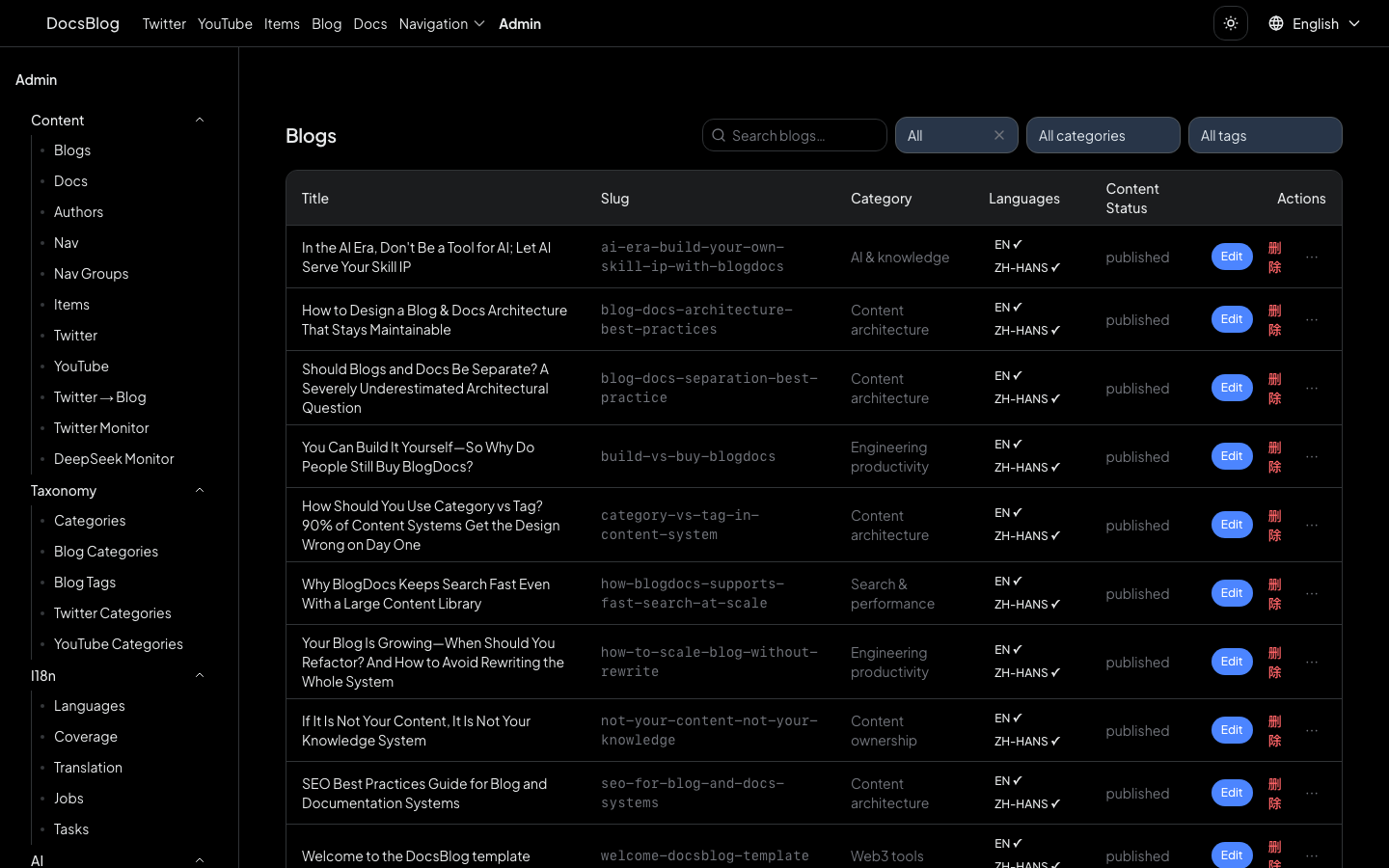
The list page supports:
- Filter by language -- switch between English and Chinese posts
- Filter by status -- view published or draft posts
- Search -- find posts by title or content
Creating a New Post
- Go to
/admin/blogs - Click the New Post button
- Fill in the frontmatter fields:
- Title -- the post title
- Description -- a brief summary for SEO and listing cards
- Date -- publication date
- Categories -- select from configured categories
- Tags -- add relevant tags
- Author -- choose an author from the registry
- Cover Image -- path to the cover image
- Content Type -- article, tutorial, guide, etc.
- Draft -- toggle to hide from public listings
- Write the post body in the MDX editor
- Click Save
The post is saved as an MDX file in content/blog/en/ (or content/blog/zh-hans/ for Chinese).
Editing a Post
There are two ways to edit an existing post:
- From the admin panel: Go to
/admin/blogs, find the post, and click Edit - From the frontend (dev mode only): When viewing a blog post on the public site in development mode, a quick-edit link allows you to jump directly to the admin editor for that post
Documentation Management
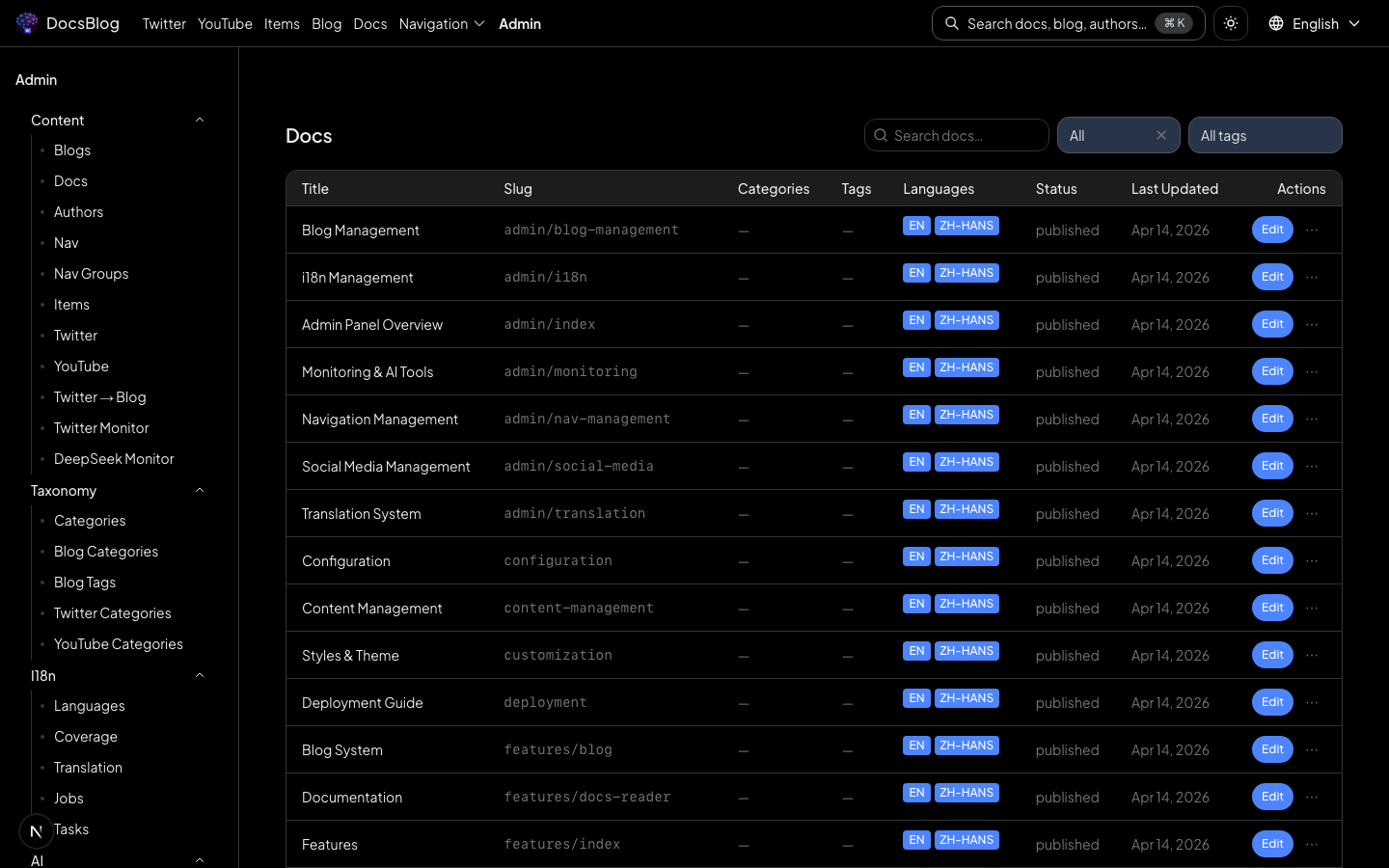
Navigate to /admin/docs to manage documentation pages.
Categories
Manage blog categories at /admin/blog-categories:
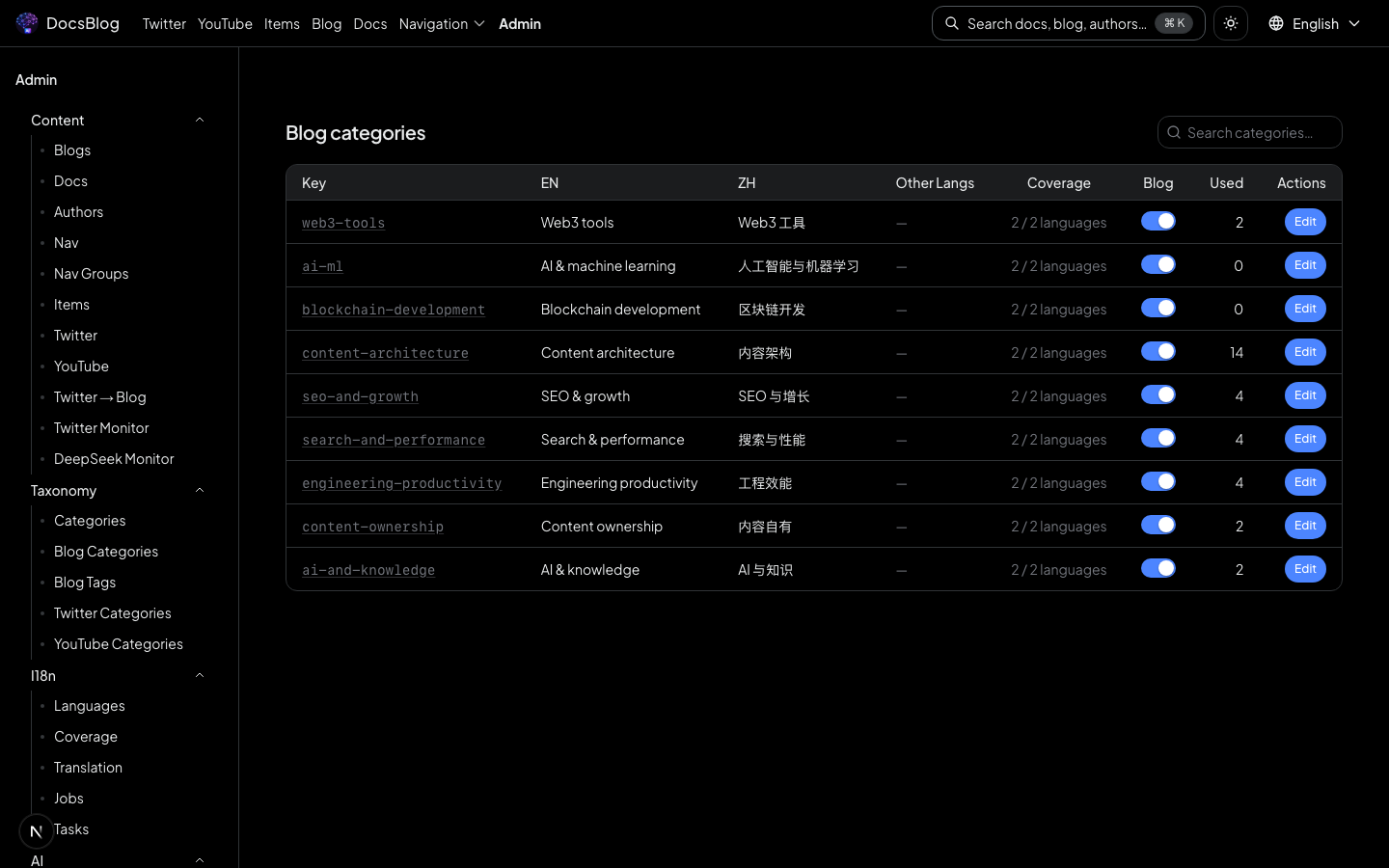
- Create a new category with a slug and i18n display names (English and Chinese)
- Edit an existing category's labels
- Delete categories that are no longer needed
Categories are used for filtering on the blog listing page and for organizing posts in the admin panel.
Tags
Manage tags at /admin/blog-tags:
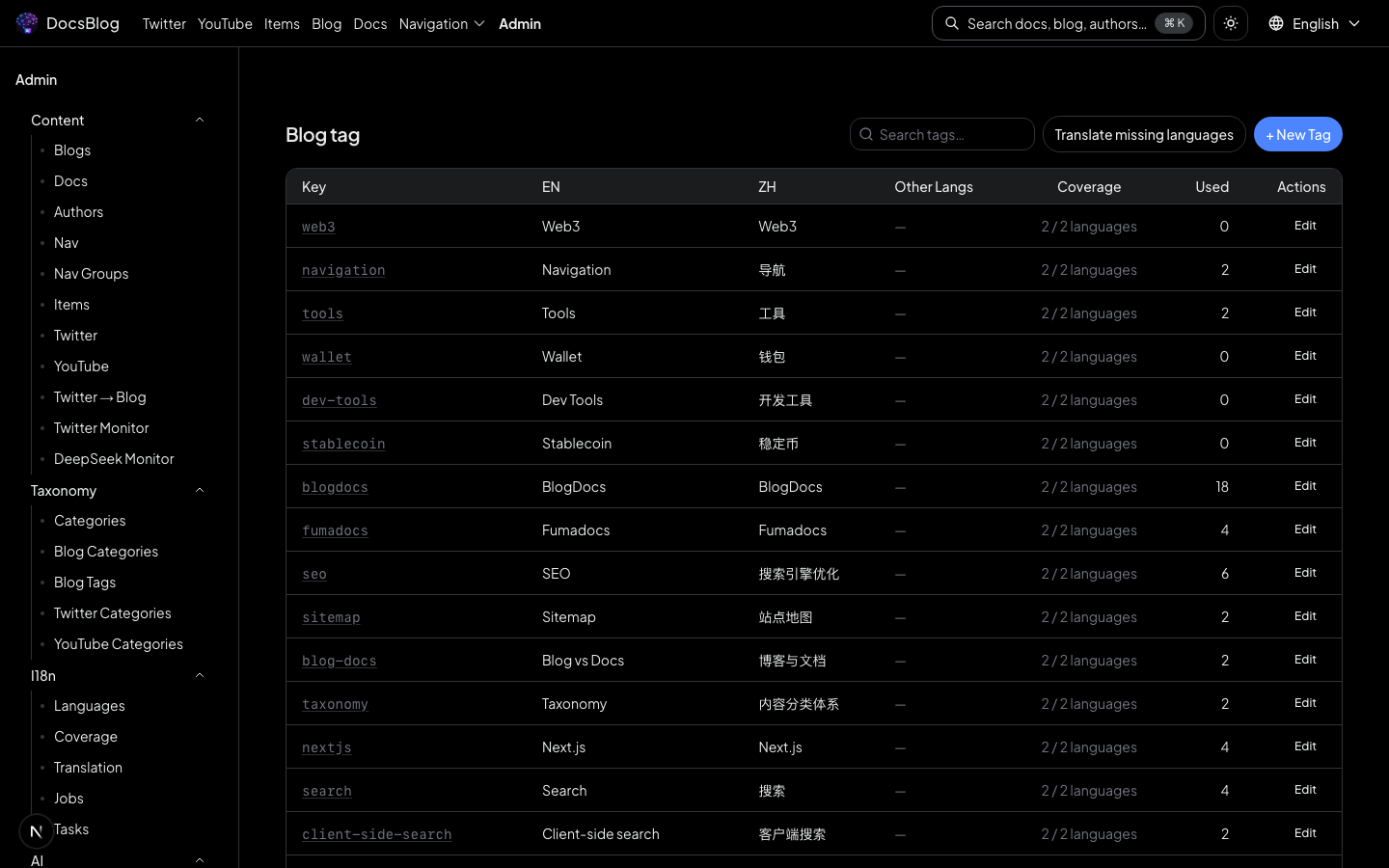
- Create new tags for post classification
- Edit existing tag names
- Delete unused tags
Tags provide finer-grained classification than categories and are displayed on post cards and detail pages.
Authors
Manage author profiles at /admin/authors:
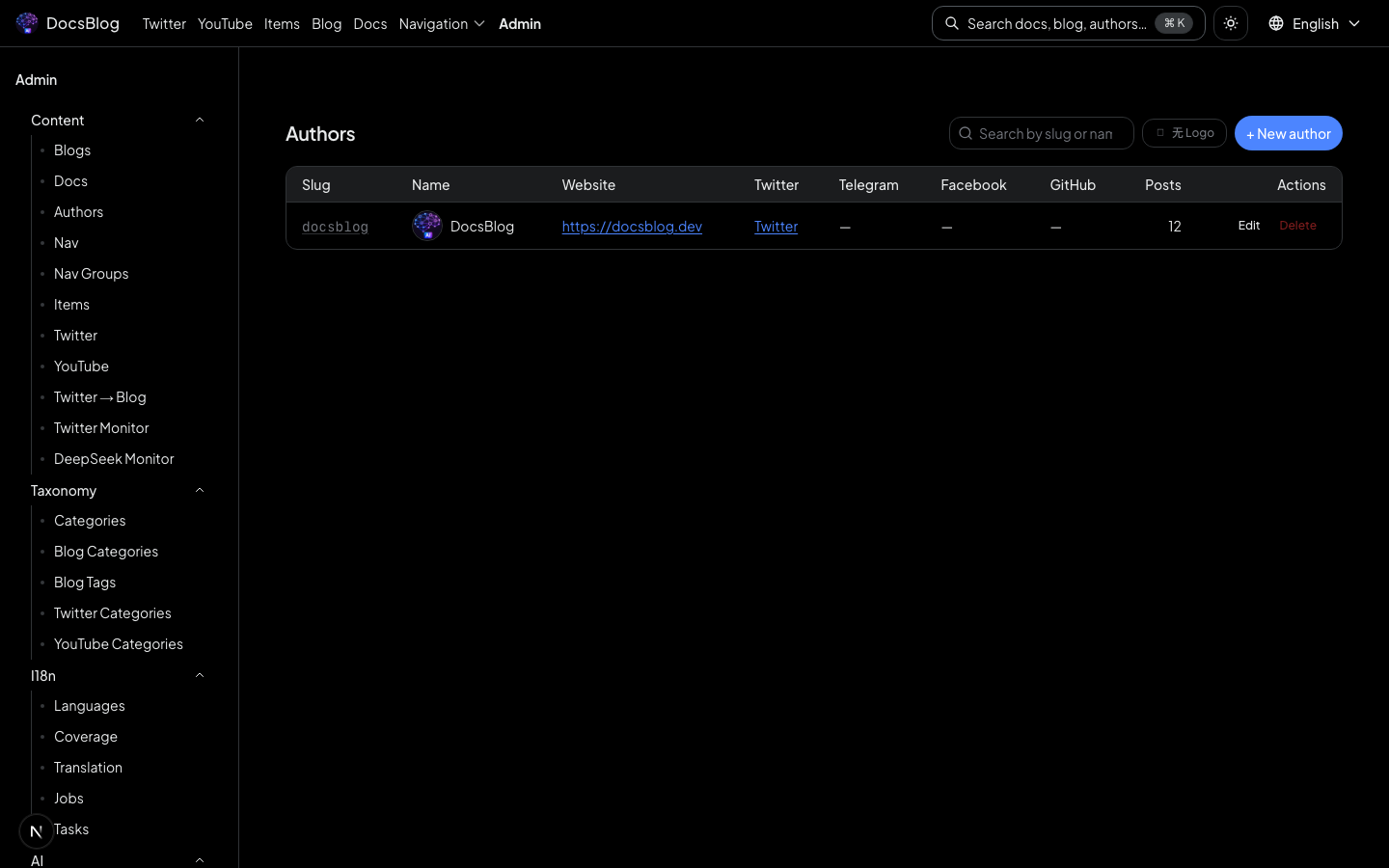
- Add new authors with name, bio, avatar, and social links
- Edit existing author details
- Remove authors
Author slugs are referenced in blog post frontmatter to link posts to their authors.