
Instant search across all site content
Global Search
Find anything on the site in seconds. The global search covers every content type and delivers results as you type.
How to Use
- Keyboard: Press ⌘K (Mac) or Ctrl+K (Windows) from any page
- Click: Click the search box in the top header
- Docs Sidebar: Click the search bar above the docs navigation
The search modal opens instantly with focus on the input field — start typing right away.
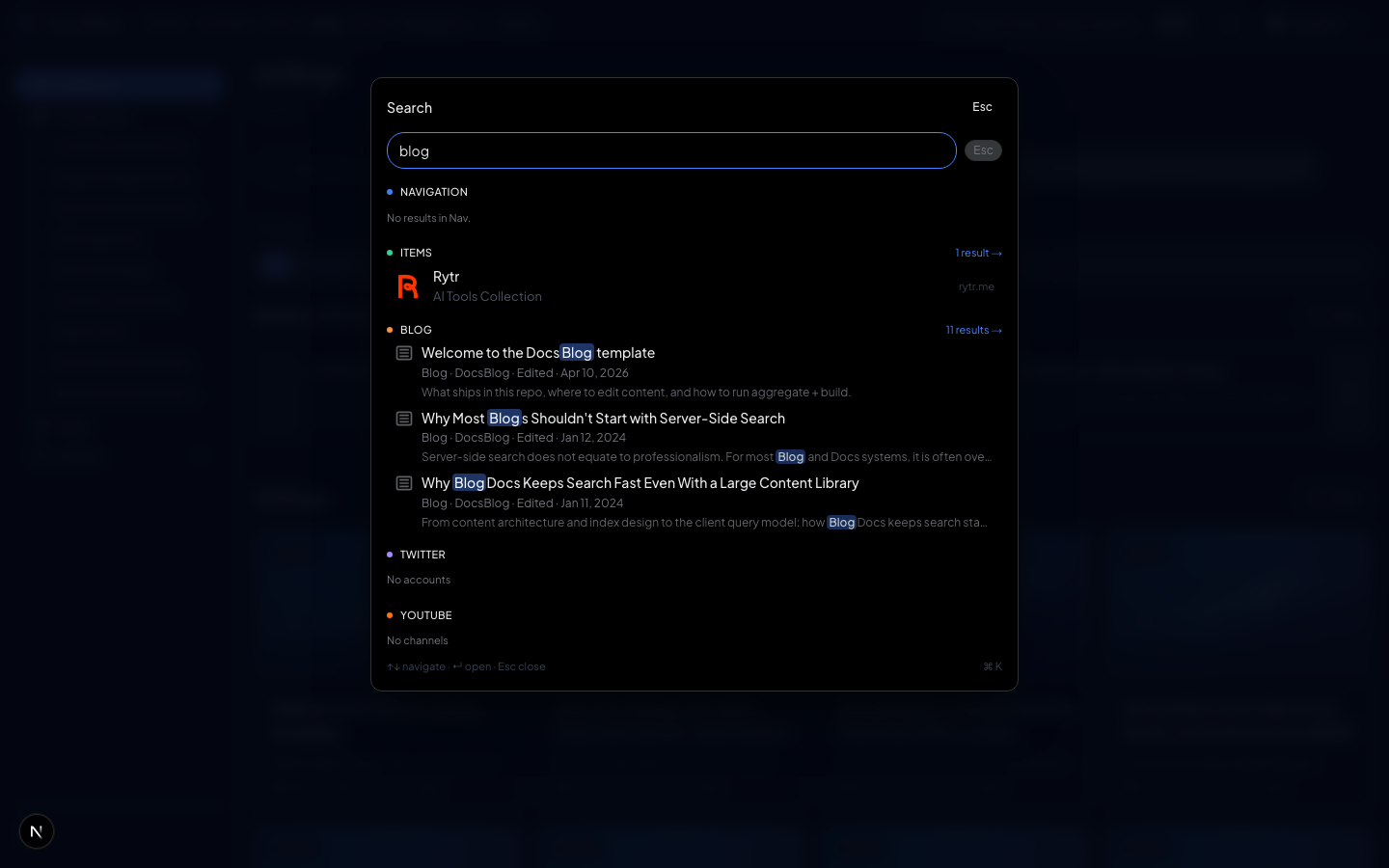
Search Coverage
A single search box covers all content types:
| Content Type | What's Searched |
|---|---|
| Blog Posts | Title, description, content |
| Documentation | Page titles and content |
| Authors | Author names |
| Twitter Accounts | Handle, display name, bio |
| YouTube Channels | Channel name, description |
| Navigation Items | Tool names, descriptions |
Results are grouped by type so you can quickly find what you're looking for.
Performance
- Real-time: Results appear as you type — no submit button needed
- LRU Cache: The 20 most recent queries are cached client-side. Repeat searches return instantly
- Lazy Loaded: The search component is dynamically imported (
ssr: false) so it doesn't add to the initial page load
Keyboard Navigation
- ↑ / ↓ — Move between results
- Enter — Navigate to the selected result
- Escape — Close the search modal
The entire search experience works without touching the mouse.